


In the age of artificial intelligence, CPUs still matter. A central processor’s parts—cores, threads, cache and nodes—are as important as any AI accelerator.
But what exactly do those CPU parts do? And why, in an age of AI, do they still matter?
These questions are easy to overlook given AI’s focus on the GPU. To be sure, graphical processors are important for today’s AI workloads. But the humble CPU also remains a vital component.
If the GPU is AI’s turbocharger, then the CPU is the engine that makes the whole car go. As Dan McNamara, AMD’s GM of compute and enterprise AI business, said at the recent AMD Financial Analysts Day, “AI requires leadership CPUs.”
So here’s a look at the most important components of today’s data-center x86 CPUs. And an explanation of why they matter.
Cores: Heavy Lifting
The central processing unit is the brain of any PC or server. It reads instructions, does the complex math, and coordinates the system’s every task.
Zooming into the architecture of a CPU, it’s the individual cores that put the “PU” in CPU. Each fully independent processing unit can run its own task, virtual machine (VM) or container.
Modern enterprise-class CPUs such as AMD’s EPYC 9005 Series offer anywhere from 8 to 192 cores each. They operate at up to 5GHz.
These cores are built using AMD’s ‘Zen’ architecture. It’s a fundamental core design that offers enhancements vital to data centers, including improved instructions-per-clock (IPC), branch prediction, caches and efficiency.
Performance like that is a must-have when it comes to a data center’s most demanding tasks. That’s especially true for compute-intensive database operations and API-heavy microservices such as authentication, payment gateways and search.
Having more cores in each CPU also enables IT managers to run more workloads per server. That, in turn, helps organizations lower their hardware and operating costs, simplify IT operations, and more easily scale operations.
Threads: Helping Cores Do More
A modern CPU core needs to multitask, and that’s where having multiple threads is essential. A single CPU core with two threads can juggle two tasks by switching between them very quickly. In a CPU with a high core count, a productivity-multiplier like that becomes exponentially more effective.
This capability delivers two important benefits. One, it helps ensure that each CPU core stays productive, even if one task stalls. And two, it boosts the CPU’s overall output.
For example, the AMD EPYC 9965 processor boasts 192 cores with a total of 384 threads. That kind of multitasking horsepower helps smooth request handling for web services and microservices. It also improves VM responsiveness and helps AI workloads run more efficiently under heavy loads.
Cache: Speedy but Short-Term Memory
The unsung heroes of CPU design? That would be cache.
The main job of a CPU cache is to help the cores juggle data with low latency. Remember, less latency is always better.
As a result, CPU cache enables databases to run faster, improve VM density and reduce latency.
Your average CPU cache is arranged in three layers:
- L1 cache is very small and very fast. Each core has its own L1 cache, which holds around 32 KB of instructions and data. The L1 cache sends that data to a register— a tiny, ultra-fast storage location the core uses to acquire the data used for calculations.
- L2 cache is also exclusive to each core. At around 1MB, this cache is bigger than L1, but it’s also a little slower. L2 cache holds any data that doesn’t fit in the L1 cache. Working together, the L1 and L2 caches can quickly pass data back and forth until ultimately, the L1 cache passes the data to the core.
- L3 cache is shared by all cores in a CPU, and it acts as a buffer for passing data between the CPU and main memory. Sizes vary widely. In an 8-core AMD EPYC processor, the L3 cache is just 64MB. But in AMD’s 192-core CPU, the L3 Cache gets as big as 348MB.
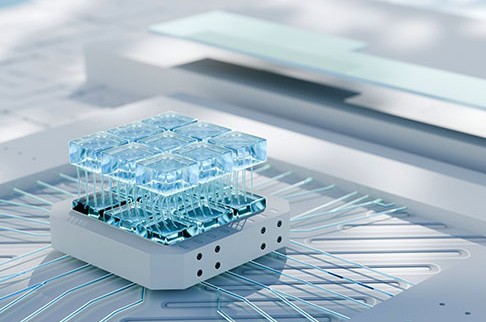
Some AMD CPUs, including the AMD EPYC 9845, also include a 3D V-Cache. This AMD innovation stacks an additional cache on top of the L3 cache (hence the name 3D). Stacking the two caches vertically adds storage without increasing the overall size of the CPU.
The added 3D V-Cache also improves performance for workloads that benefit from a larger cache. Examples include scientific simulations and big data.
Nodes: Power & Efficiency
When it comes to CPU nodes, smaller is better. A smaller node size can deliver benefits that include lower power consumption, increased efficiency, and more compute performance per watt.
Nodes are expressed in nanometers (nm)—that’s one billionth of a meter—which describe the tiny size of transistors on a chip.
The latest AMD EPYC 9005-series architectures, ‘Zen 5’ and ‘Zen 5c,’ are built on 4nm and 3nm nodes, respectively.
Each of these individual performance gains may seem tiny when considered on a per-chip basis. But in the aggregate, they can make a huge difference. That’s especially true for resource-intensive workloads such as AI training and inferencing.
Coming Soon: Smaller, Faster CPUs
AMD’s near-term roadmap tells us we can expect its AMD EPYC CPUs to continue getting smaller, faster and more efficient.
Those manufacturing and performance gains will likely come from more cores per CPU socket, bigger and more efficient caches. Earlier this year, AMD said the next generation of its EPYC processors, codenamed Venice, will be brought up on TSMC’s advanced 2nm process technology.
Enterprises will be able to parlay those improvements into better performance under multi-tenant loads and reduced latency overall. The latter is particularly vital for modern operations.
The bottom lie: Denser CPU cores mean big business, both for processor makers such as AMD and the server vendors such as Supermicro that rely on these CPUs.
Denser CPUs are also vital for enterprises now transforming their data centers for AI. Because adding space is so slow and costly, these organizations are instead looking to pack more compute power per rack. Smaller, more powerful CPUs are an important part of their solution.
Minimum CPU size with maximum power? It’s coming soon to a data center near you.
Do More:
- Go in-depth with AMD EPYC server CPUs